Ads workflow
AI UGC videos from a single sentence
Tell AutoReel what the creator should talk about. AI writes a natural, first-person script, casts a creator, generates the voice, lip-syncs it and exports a captioned UGC-style video. Add a product link and the product appears in their hands.
what it does
UGC-style video without the filming
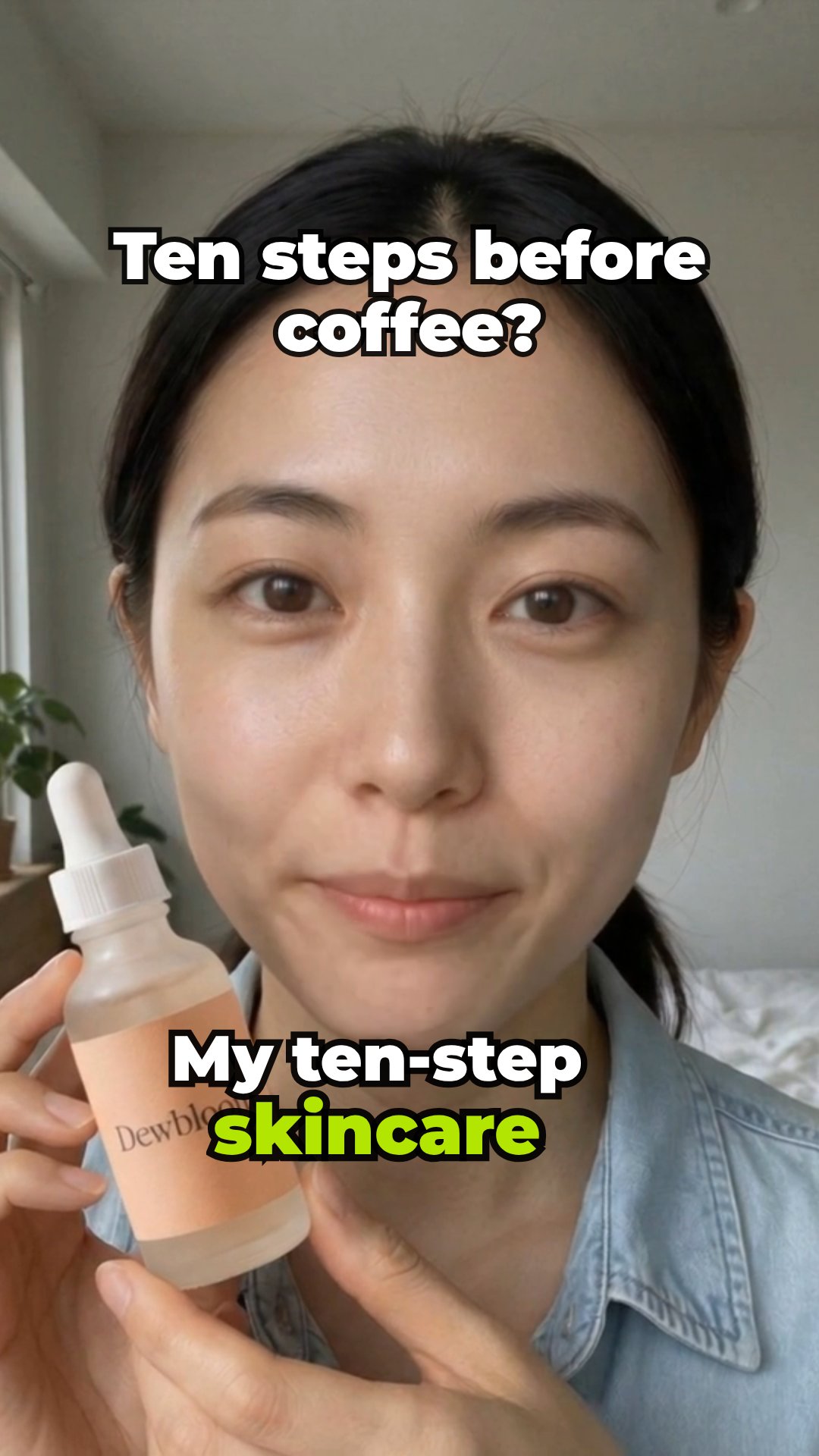
UGC, short for user-generated content, is the format of someone talking to their phone camera: a review, a tip, a reaction. It works because it feels like a recommendation rather than an ad. AI UGC keeps the format and drops the logistics: no creator to book, no reshoots, no waiting on a draft.
This workflow starts from a sentence, not a form. Say what the video is about, such as “why I stopped buying bottled water” or “three things I wish I knew before my first marathon”, and AutoReel writes a script that sounds spoken: first person, short sentences, a hook in the first line and a natural call to action. Then it picks a creator whose look fits the topic, unless you choose one yourself.
A product is optional. Paste a product link or upload a photo and the creator holds it on camera, and the video closes on a product card. Without one, you get a clean talking-to-camera video for a tip, a story, an announcement or an app.
how it works
How it works
One input, then AI runs every step below. Review the plan first, or let it go straight to a finished MP4.
Step 1: Describe the video
One sentence is enough. Paste a product link in the same box if you have one: AutoReel spots it and reads the page. Your brand kit's voice and call to action are added for you.
Step 2: AI writes and casts
The script is written to the length you picked in the angle you picked: review, unboxing, tutorial, problem → fix or app demo. AI then casts the best-fitting creator from your library and gives them a voice.
Step 3: Voice and lip-sync
The voiceover is generated, then a talking-avatar model animates the creator's portrait to it. With a product photo, an image-editing step first puts the product in their hands.
Step 4: Captioned and exported
Bold captions go on, a short hook line can appear in the first seconds, and the finished MP4 exports by itself. Open it in the editor to restyle anything.
what you get
What you get
A talking-creator video
A creator speaking your script to camera, lip-synced and captioned, at 9:16, 1:1 or 16:9, in 15, 25 or 45 seconds.
Product moments, when you want them
With a product, it's in the creator's hands while they talk and on a closing card with your call to action.
An editable script up front
Review plan shows the script, the shots and the price before anything is generated. Rewrite a line and the voice, lip-sync and captions follow it.
Standard or best quality
Standard uses fast, affordable talking-avatar models. Best reaches for the top lip-sync models your plan includes.
who it's for
Who uses it, and for what
Brands testing hooks
Say the same thing five ways and see which opening keeps people watching, without five shoots.
Apps and SaaS
Have a creator explain what your app does, or react to a new feature, in the voice of a user.
Creators and coaches
Turn tips, opinions and stories into talking-head videos on the days you can't film.
Local businesses
Announce an offer, an opening or a new menu with a friendly face on camera.
tips
Tips for better results
Brief it like you'd brief a person
Say who is talking, to whom and why: “a busy nurse on why she switched to meal prep” beats “meal prep video”. A specific brief gets a specific hook.
Choose the creator when the audience is specific
AI casts well for most topics. When your buyers are a particular group, pick a creator from your library who looks like them.
Keep it short
15 to 25 seconds suits most hooks and offers. Save 45 seconds for tutorials and stories that need the room.
Bring your own script when you have one
In Review plan, replace the AI's script with yours and generate. The build follows it word for word.
related
Keep exploring
Workflows that pair well with this one, the models behind it, and the features that go deeper.
Related workflows
- Product adPaste a product link and get a creator ad: review, unboxing or tutorial.
- Hook + demoA scroll-stopping AI hook stitched to your product demo.
- Creator + carouselKeep one AI creator consistent and make a photo-dump carousel of them.
- Faceless explainerA narrated, captioned explainer in one visual style, from a topic.
Models it uses
- VEED Fabric 1.0Standard quality
- Kling AI Avatar v2 ProStandard quality
- InfiniteTalkStandard quality
- Nano Banana 2 EditStandard quality
- Seedream 5.0 Pro EditStandard quality
- Seedance 2.5 Talking AvatarBest quality
- OmniHuman 1.5Best quality
- Nano Banana Pro EditBest quality
- GPT Image 2.5 Sunburst EditBest quality
Go deeper
faq
AI UGC video: questions
What is AI UGC?
AI UGC is user-generated-style video made with AI: a realistic AI creator talking to camera about a product, an app or a topic, with a natural voice and lip-sync. It reads as organic content rather than a produced ad.
Do I need a product?
No. Without a product you get a talking-to-camera video on any topic. With a product link or photo, the creator holds the product and the video ends on a product card.
Can I use my own script?
Yes. Open Review plan, replace the script with yours and generate. The voice, lip-sync and captions follow your words exactly.
Are the creators real people?
The stock creators are AI-generated people who don't exist. If you add a custom creator based on a photo of a real person, you need their consent first.
How long can an AI UGC video be?
Choose 15, 25 or 45 seconds. The script is written to fit the length, and the price scales with it.
Is there a version where I set everything myself?
Yes. The detailed UGC builder lets you set the script, creator, voice, caption style and end card by hand. This workflow is the fast path: one sentence in, a finished video out.
Your next reel is one prompt away.
Start with 100 free credits. No card needed.