AI UGC videos
AI UGC videos that sound like a real customer
Pick an AI creator, give it a script and a voice, and AutoReel turns it into a talking-to-camera reel with captions, your product end card and music. No filming, no shipping product to creators, no waiting a week for a draft.
what it does
AI UGC videos in AutoReel
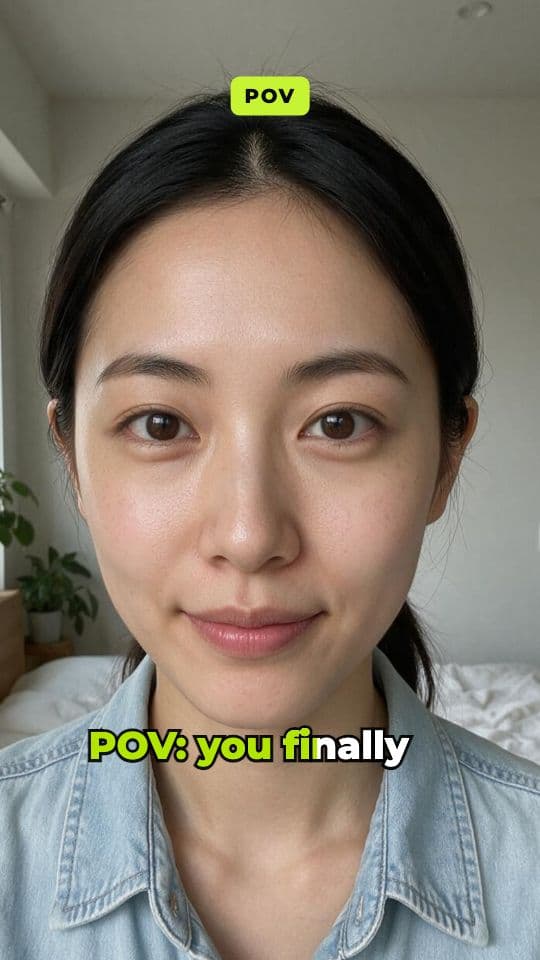
UGC works because it looks like a person you'd follow, not an ad. AutoReel builds that format for you: an AI influencer talks about your product, lip-synced to a natural voiceover, with word-by-word captions on top.
Every reel is built in steps you can see. The script becomes a voiceover, the voiceover and the creator's portrait become a talking video, and AutoReel times the captions to the voice. Then it adds your end card and music, and opens the result in the editor.
Need ten angles for one product? Duplicate the reel, change the hook, and run it again. Each run shows its credit price before it starts.
Lip-synced talking creators
Talking-avatar models such as OmniHuman and Kling AI Avatar animate the creator's portrait to the voiceover.
Captions timed to the voice
Five caption styles (bold pop, karaoke, boxed, minimal, headline). Edit or re-time any word in the editor.
Product end card
Your product image and a call to action close the reel, so viewers know what to buy.
Price before you build
The build shows a per-step credit estimate. If a step fails, its credits come back.
Every aspect ratio
9:16 for TikTok, Reels and Shorts, plus 1:1, 4:5 and 16:9 when you need them.
Ready-made UGC templates
Start from formats like “Problem → solution UGC ad”, “Honest review” or “3 reasons I switched”.
how it works
How it works in AutoReel
Step 1: Write or generate the script
Paste your own script (up to 3,000 characters) or let the script assistant write a 15, 30, 45 or 60-second UGC script from your product details, in the tone and platform style you pick.
Step 2: Cast your creator and voice
Choose one of the stock AI creators, or upload a portrait for a custom creator. Then pick a voice and preview it before you commit.
Step 3: Add the product moment
Switch on the end card, add a product photo and a short line like “Shop now”. Pick a caption style and an optional music track from your library.
Step 4: Build, then fine-tune
AutoReel runs the voiceover and the talking-avatar model, times the captions and assembles the reel. It opens in the editor, ready to tweak, export or schedule.
who it's for
Made for people who post a lot
E-commerce brands
Test new angles for every product without booking a creator for each one.
App founders
Explain what your app does in 30 seconds, in a voice that feels like a user.
Agencies
Ship UGC-style ad variations for every client from one workspace.
faq
AI UGC videos: questions
Are the AI creators real people?
No. The stock creators are portraits of fictional people generated with AI. If you make a custom creator from a photo of a real person, you confirm you have their consent first.
How long can an AI UGC video be?
The script assistant writes 15, 30, 45 or 60-second scripts, and you can paste your own up to 3,000 characters. The price scales with the length of the voiceover, and you see it before you build.
Can I use my own voice or script?
Yes to your own script. For voices you pick from the stock voices of the enabled text-to-speech models, each with a preview sample.
What does an AI UGC video cost?
It depends on the models and the length. The build page adds up each step (voiceover, talking avatar) in credits before you start, at 1 credit = $0.01 retail value.
Your next reel is one prompt away.
Start with 100 free credits. No card needed.