Talking avatars
Any face, any voice, lip-synced in one build
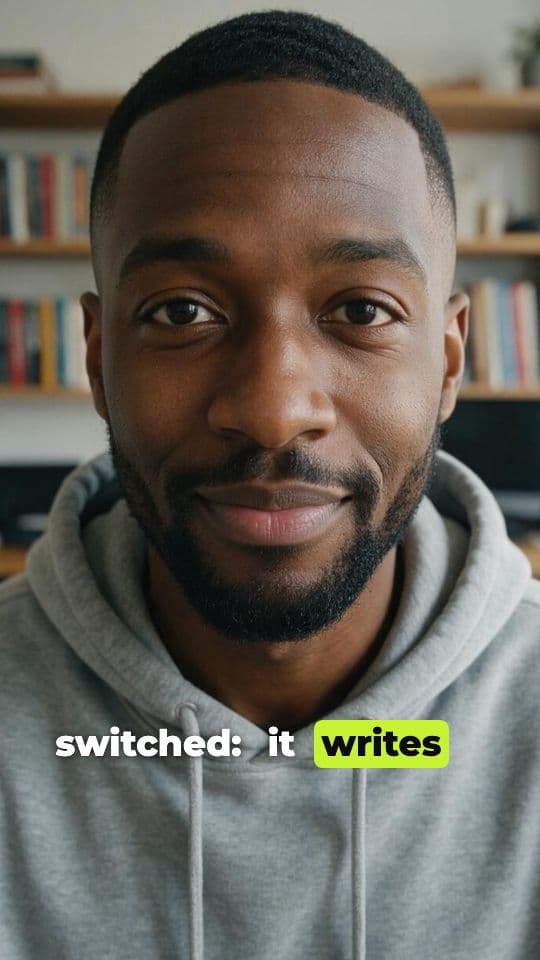
A portrait and a voiceover are all a talking avatar needs. AutoReel pairs them with the lip-sync and avatar models built for it, then captions the result, so your creator talks to camera without a camera.
what it does
Talking avatars in AutoReel
Talking avatars are the engine behind AI UGC and faceless explainers. AutoReel ships stock AI creators and stock voices, and lets you add custom creators from your own photos.
You never wire models together yourself. Pick a creator and a voice; AutoReel generates the voiceover, sends the portrait and the audio to the avatar model you chose, and keeps every output in your library.
Stock AI creators
Eight ready-made creators of fictional people, available in every workspace.
Custom creators
Make your own from a portrait. Creator gets 1, Pro gets 5 and Agency gets unlimited custom creators.
Voice previews
Hear a short sample of any stock voice before you spend a credit.
Swap models freely
OmniHuman, Seedance Talking Avatar, Kling AI Avatar, InfiniteTalk and more, as the registry offers them.
Default creator per brand
Set a default creator and voice in a brand kit so every reel starts cast.
how it works
How it works in AutoReel
Step 1: Choose a creator
Browse the stock AI creators, or upload a front-facing portrait to make a custom one. Good light and a clear face give the best lip-sync.
Step 2: Choose a voice
Stock voices come from the text-to-speech models in the catalogue, with language, gender and style tags. Play a preview before you pick.
Step 3: Pick the avatar model
Talking-avatar models differ in realism, speed and price. The picker shows each model's credit cost for your script's length.
Step 4: Build and edit
The reel arrives in the editor with captions timed to the voice. Swap the voice or the script and rebuild only what changed.
who it's for
Made for people who post a lot
Faceless channels
A consistent on-screen host without ever showing your own face.
Brands with a mascot persona
One recognisable creator who fronts every product video.
Educators and coaches
Turn written lessons into short talking-head clips.
faq
Talking avatars: questions
Can I make an avatar of myself?
Yes. Upload a clear, front-facing portrait to create a custom creator. For a photo of anyone else, you confirm you have their consent before AutoReel uses it.
Which languages do the voices speak?
Each stock voice is tagged with its language, and the list follows the text-to-speech models that are switched on. Preview a voice to hear it before you use it.
Is a talking avatar priced per video or per second?
Per run, from the model's own pricing, which usually depends on length. AutoReel estimates the voiceover length from your script and shows the credit total before you build.
Your next reel is one prompt away.
Start with 100 free credits. No card needed.