Content workflow
An AI influencer generator that keeps one face consistent
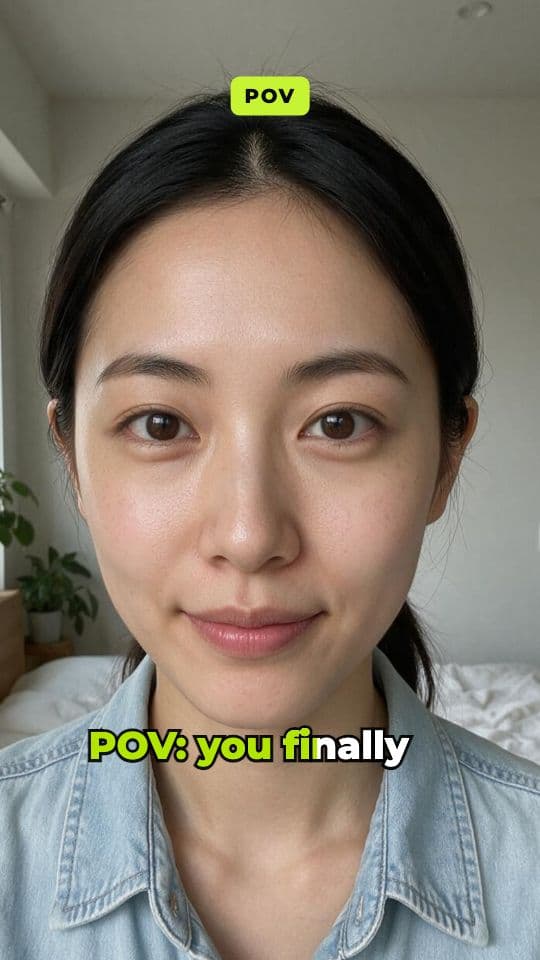
Start from one photo of your creator, or pick one from your library, and describe the vibe. AI plans a candid photo dump of different places, outfits and moments, generates every photo with the same face, and cuts them into a carousel video set to music.
what it does
Same person, every photo
An AI influencer only works if it's recognisably the same person from post to post. That's the hard part: most image generators give you a new face every time. This workflow starts from one reference photo and uses image-editing models instructed to keep the face, hair and features identical while everything around the person changes.
AI plans a photo dump of around eight candid moments in different places, outfits and light, matched to your brief: “a weekend in Lisbon, golden hour, film camera look” or “a gym-to-office week for a fitness creator”. Each shot is generated as a natural phone photo with no text in it, then the set is cut into a quick carousel video over generated music.
Every photo is saved to your library too, so you can post them as a classic photo carousel or reuse the best shot as a profile picture or thumbnail. Run it again with a new brief for the next post, and the creator stays the same.
how it works
How it works
One input, then AI runs every step below. Review the plan first, or let it go straight to a finished MP4.
Step 1: Choose your creator
Upload a clear photo of the person, or pick a creator from your library. This is the face every shot keeps.
Step 2: Describe the vibe
Say where they are and what the week looks like: a city, a hobby, a season, a style. AI plans around eight candid shots to match.
Step 3: Every photo is generated
An image-editing model makes each shot from the reference photo, keeping the same face while the setting, outfit and light change.
Step 4: Cut to music and exported
The photos are cut into a quick carousel video over a generated instrumental track, and the MP4 exports by itself.
what you get
What you get
A photo-dump carousel video
Around eight photos at a quick pace over music, at 9:16, 1:1 or 16:9.
The photos themselves
Each shot is saved to your library, ready to post as a photo carousel or to reuse elsewhere.
One consistent face
Every shot is generated from the same reference, so the person stays recognisable from post to post.
Music made for the set
An instrumental track generated in the mood the plan chose, mixed under the photos.
who it's for
Who uses it, and for what
AI influencer accounts
Keep a virtual creator posting lifestyle content that looks like the same person every time.
Brands with a signature face
Give your brand one consistent person across posts, stories and ads.
Creators you also use in ads
Build a library of looks for a creator who also talks to camera in your UGC videos.
Fashion and travel content
Show outfits, places and moments without a photoshoot for every post.
tips
Tips for better results
Use a clear, front-facing reference
One well-lit photo with the whole face visible gives the most consistent results. Avoid sunglasses, heavy filters and group shots.
Describe a story, not a list
“A slow Sunday in Paris: café, bookshop, river walk at sunset” gives shots that feel like one day in one life.
Reuse the same creator
Pick the same library creator for every post, so the account builds one recognisable face over time.
Look over the set before posting
Image models are good at keeping a face, not perfect. Drop any shot that drifts before you post.
Keep a style note
Add the same few style words to every brief, like “film camera, warm tones”, so the feed looks consistent as well as the face.
related
Keep exploring
Workflows that pair well with this one, the models behind it, and the features that go deeper.
Related workflows
- AI UGC videoAn AI creator talks about your product, perfectly lip-synced.
- Photo effectsTurn one photo into a viral clip: zooms, transformations, camera moves.
- SlideshowA hook and list slides with AI images, voiceover optional.
- Recast a clipPut your creator or product into a trending clip's motion.
Models it uses
- Nano Banana 2 EditStandard quality
- Seedream 5.0 Pro EditStandard quality
- ACE-Step 1.5Standard quality
- Mureka 9.5 BGMStandard quality
- Nano Banana Pro EditBest quality
- GPT Image 2.5 Sunburst EditBest quality
- ElevenLabs Music v2.5Best quality
- Lyria 3.5Best quality
Go deeper
faq
Creator + carousel: questions
What is an AI influencer generator?
A tool for creating a virtual person and producing content of them. In AutoReel you start from one photo or a library creator, and every new photo keeps that face while the scene, outfit and moment change.
Can I use a photo of a real person?
Only with their clear consent, such as yourself or a model who has agreed to it. Using someone's likeness without permission breaks AutoReel's acceptable use policy. The stock creators in your library are AI-generated people, so they need no consent.
How consistent is the face?
Each shot is generated from the same reference with an instruction to keep the face, hair and features identical, and current image-editing models do this well. They aren't perfect, so look over the set and drop any shot that drifts.
Can I post the photos as an Instagram carousel?
Yes. The workflow exports a video, and every photo is also saved to your library to download and post as a carousel.
Can the same creator appear in talking videos?
Yes. Creators saved in your library work across AutoReel, including the AI UGC video and product ad workflows, where they talk to camera with a voice.
Should I say the influencer is AI?
Many platforms require or encourage labels on realistic AI-generated content. Check the rules of each platform you post on and disclose wherever they ask.
How many photos does each run make?
Around eight. The plan gives each one a different place, outfit or moment, and they all appear in the carousel video and in your library.
Your next reel is one prompt away.
Start with 100 free credits. No card needed.